
• 0 Posts
  • 19 Comments
Joined 3 years ago
cake
Cake day: June 15th, 2023

help-circle
  • There are many good answers here already, just wanted to add to it.

    It sounds very much like what you’re seeing could be either a driver fault or a memory-related issue. Both can manifest as hard system freezes where nothing responds, not even Ctrl+Alt+Fx or SysRq. You mentioned this briefly before, and that still fits the pattern.

    If it’s a driver issue, it’s often GPU or storage related. A kernel module crashing without proper recovery can hang the whole system—especially graphics drivers like NVIDIA or AMD, or low-level I/O drivers handling your SSD or SATA controller. Checking dmesg -T and journalctl -b -1 after reboot for GPU resets, I/O errors, or kernel oops messages might reveal clues.

    If it’s memory pressure or the OOM killer, that can also lock a machine solid, depending on what’s being killed. When the kernel runs out of allocatable memory, it starts terminating processes to free RAM. If the wrong process goes first—say, something core to the display stack or a driver thread—you’ll see a full freeze. You can verify this by searching the logs for “Out of memory” or “Killed process” messages.

    A failing DIMM or a bad memory map region could also behave like this, even if Windows seems fine. Linux tends to exercise RAM differently, especially with heavy caching and different scheduling. Running a memtest86+ overnight is worth doing just to eliminate that angle.

    If your live USB sits idle for hours without freezing, that strongly hints it’s a driver or kernel module loaded in your main install, not a hardware fault. If it does freeze even from live media, you’re probably looking at a low-level memory or hardware instability.

    The key next steps:

    Check system logs after reboot for OOM or GPU-related kernel messages.

    Run memtest86+ for several passes.

    Try a newer (or older) kernel to rule out regression.

    If it’s indeed a driver or OOM event, both would explain the “total lockup” behavior and why Windows remains unaffected. Linux’s memory management and driver model are simply less forgiving when something goes sideways.


  • It could definitely be stress-related, especially if you had a particularly bad night of sleep before this started.

    When you don’t sleep well, your body can reset its cortisol production cycle. Cortisol—the hormone tied to stress and alertness—typically starts rising in the early hours of the morning, around 3–4 a.m., as part of a normal circadian rhythm.

    But if you’re under even mild or subconscious stress, that spike can happen earlier or be stronger than usual, causing you to wake up prematurely and feel too alert to fall back asleep.

    It’s like your body’s stuck in a “high alert” mode even if nothing obvious is triggering it.

    Could be the birds that have already been mentioned as well, I am no expert, nor medical trained, but this reason is more common than you might think when waking up early. It’s the same reason you might find yourself waking before the alarm when you really need to be on time, like before going on vacation and you cannot miss your flight.

    Here is a link to one of many in regards to sleep and cortisol

    https://sleepdoctor.com/pages/health/cortisol

    (edit: added part of the sentence that got lost before posting and figured I might add a link if someone wants to read more)

  • the halt command is like a handbrake for the kernel, so it basically shuts everything down hard and stops, but it does not power off the system without you telling it to, so that is why your LEDs stayed on after you used the other parameter.

    you could just try to downgrade/ upgrade the kernel, do s shutdown for a few hours during daytime when the computer is not beeing used, then turn it back on and check the percentage.

    you will see the drain if it’s not a full night, but it might not be so drastic.

    if it’s completely shut down there should be no loss in percentage, even for a short period of time as there probably is now…

    I’ll try to think up another solution, but a bit busy today as I mentioned on the last post


  • Hi, a bit busy today so I can investigate some more later, but the problem you are describing is in many cases related to the kernel version and has been resolved by up or downgrading the kernel version.

    it might be worth looking into, at least it’s a simple task, while I get some more time to investigate or offer more for you to look into.

    great that it worked so far, at least now you know where the problem is :)


  • let’s hope it’s a software issue, in general it’s much cheaper to fix software than hardware 🙂

    you can also try using the “sudo halt --poweroff” command.

    if it ks software related. that command will force an instant shutdown ignoring all normal shutdown run levels (use with caution if you have open files that need to be saved in advance).

    if that command succeeds as well after the battery test, you can be sure the problem lies within the shutdown run level scripts, which should help you narrow it down even more.


  • does this happen if you force it to shut down by holding the power button for +10sec, or if you remove and reinsert the battery after power off?

    forcing a shutdown or removing and installing the battery, will ensure that the laptop is indeed shut down and not just halting during the shutdown process.

    if you still have the same issue after this test I would guess your battery is dying, but if not you know that the issue is a software and not a hardware problem…

    anyway, best of luck getting it sorted


  • y0din@lemmy.worldtoLinux@lemmy.mlHP Laptop drains battery while turned off
    link
    fedilink
    arrow-up
    10
    arrow-down
    1
    ·
    edit-2
    2 years ago

    do you have any usb devices, like external hard drives, chargers or similar connected to it? a lot of the laptops allows for usb charging/supply of power even when switched off, and this could be one of the sources for the drainage.

    try disconnecting all USB cables if any are connected and see if the problem disappears?

    never mind, did not see the line about no connected usb cables until after posting


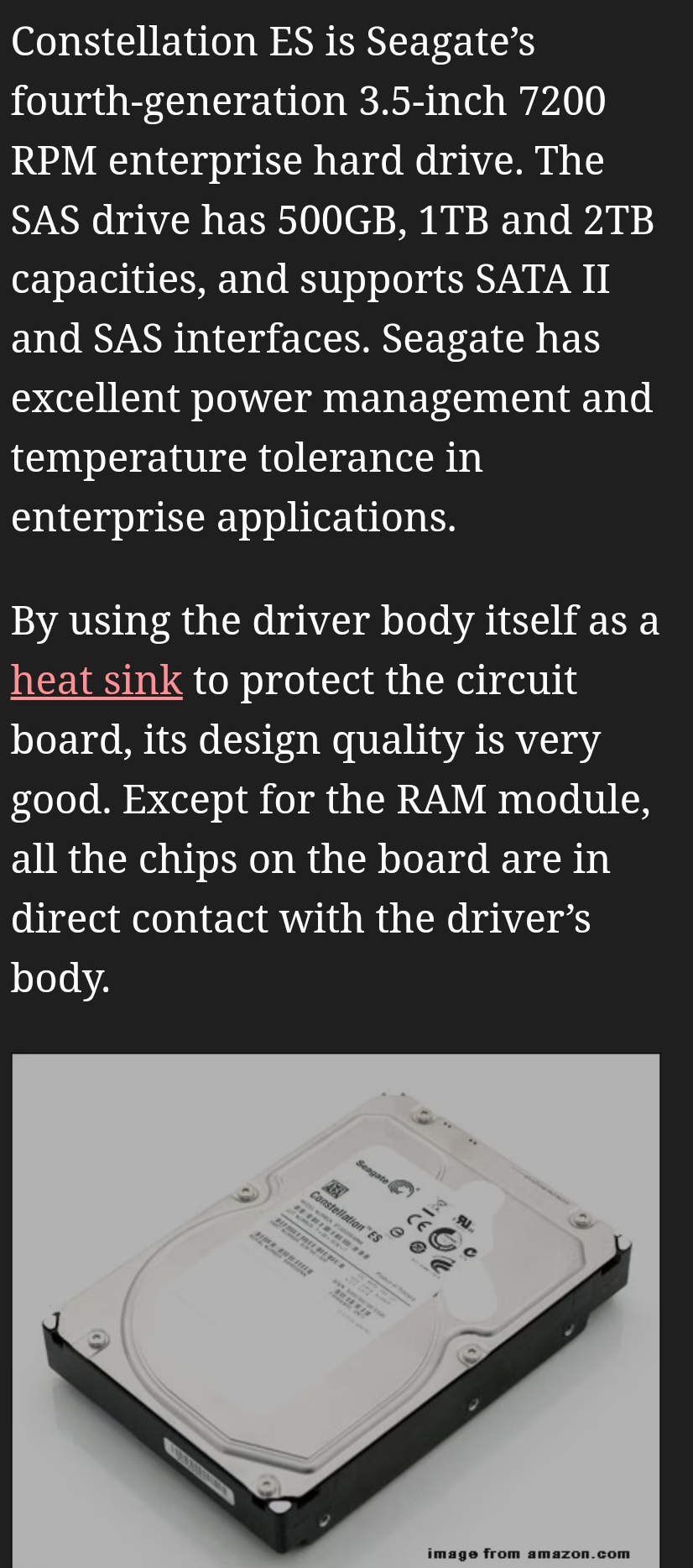
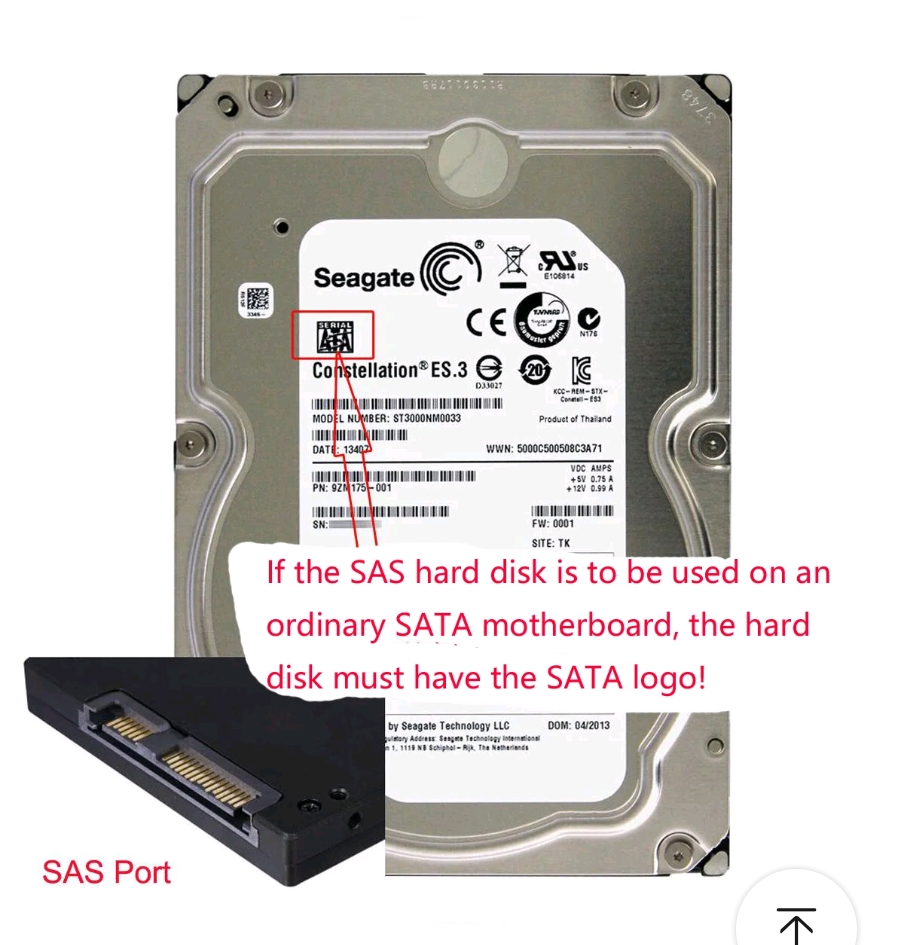
  • sorry if I misunderstood, but wasn’t his drive sas, and he needed to go to sata connections? this does that.

    sas hdd => sata controller connetions

    the converter is not the culprit, the drive needs a sata logo on the label for it to work the other way, which is mentioned on the sales page.

    if the drive had that logo or not is not mentioned as far as I can see

    (edit, thought it was OP replying at first, so changed that, and added requirements for the adapter)